Since version 1.1, Synclet (ex ConfigMesh) supports using your own Dropbox account as a storage backend instead of the built-in Synclet (ex ConfigMesh) cloud storage. This gives you full control over where your encrypted data lives.
What Changes With Dropbox Storage
Your files are still fully end-to-end encrypted. The encryption key never leaves your machine, regardless of which storage backend you use. The only difference is where the encrypted blobs are stored.
There are a few trade-offs to be aware of:
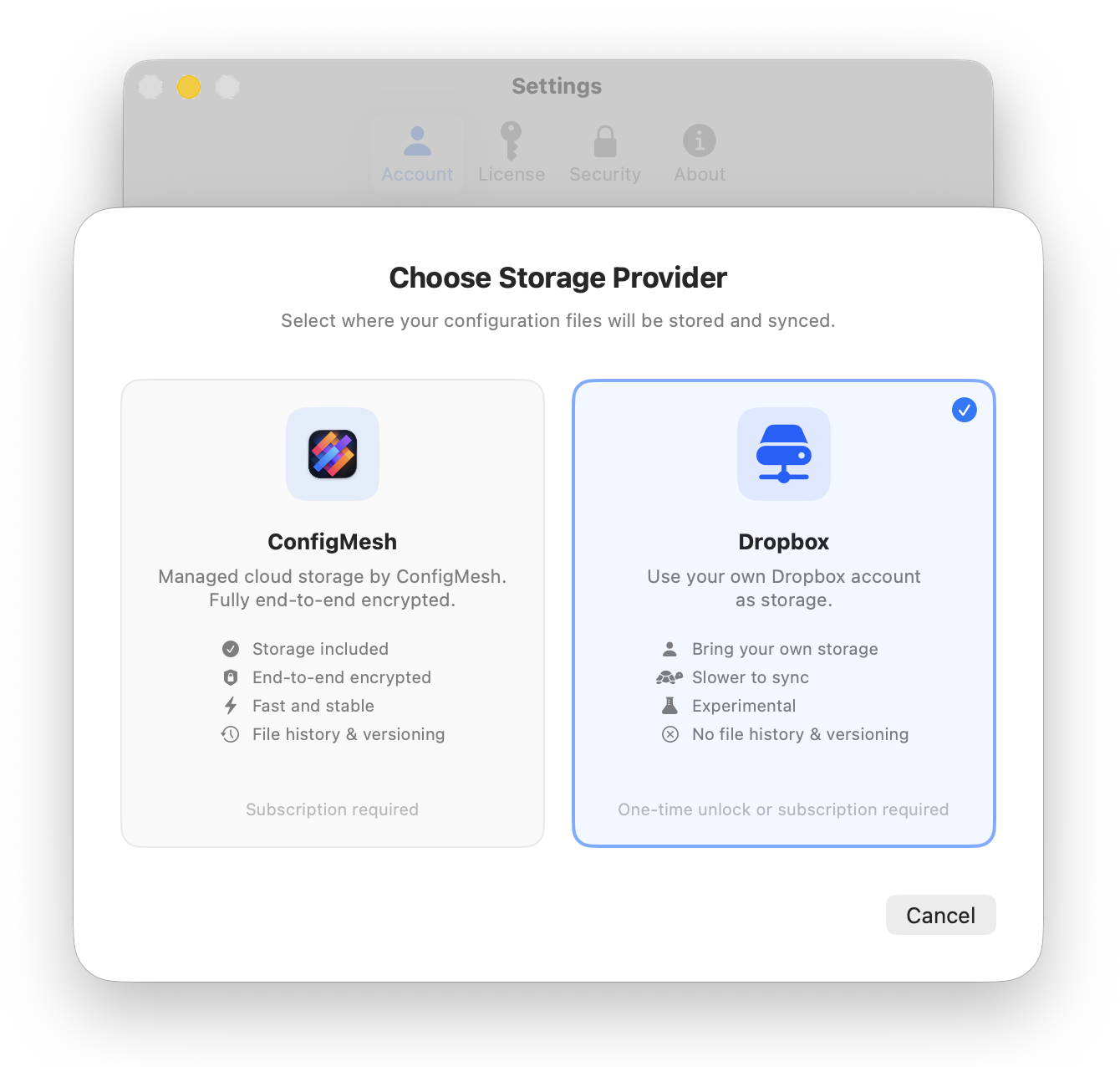
- ❌ No Synclet (ex ConfigMesh) file history. Version history is a Synclet (ex ConfigMesh) cloud feature. With Dropbox, you can use Dropbox's own version history if your plan supports it.
- ❌ Slower sync. Dropbox sync goes through Dropbox's API, which can be slower than Synclet (ex ConfigMesh)'s built-in storage.
- ❌ No web dashboard. The Synclet (ex ConfigMesh) web dashboard only works with Synclet (ex ConfigMesh) cloud storage.
Dropbox storage requires either a one-time unlock or an active monthly/annual subscription. You can manage your plan on the billing page.
If those trade-offs are fine for your workflow, Dropbox storage is a great option, especially if you already pay for Dropbox and want to keep costs down with a one-time purchase.
Step 1: Open Settings
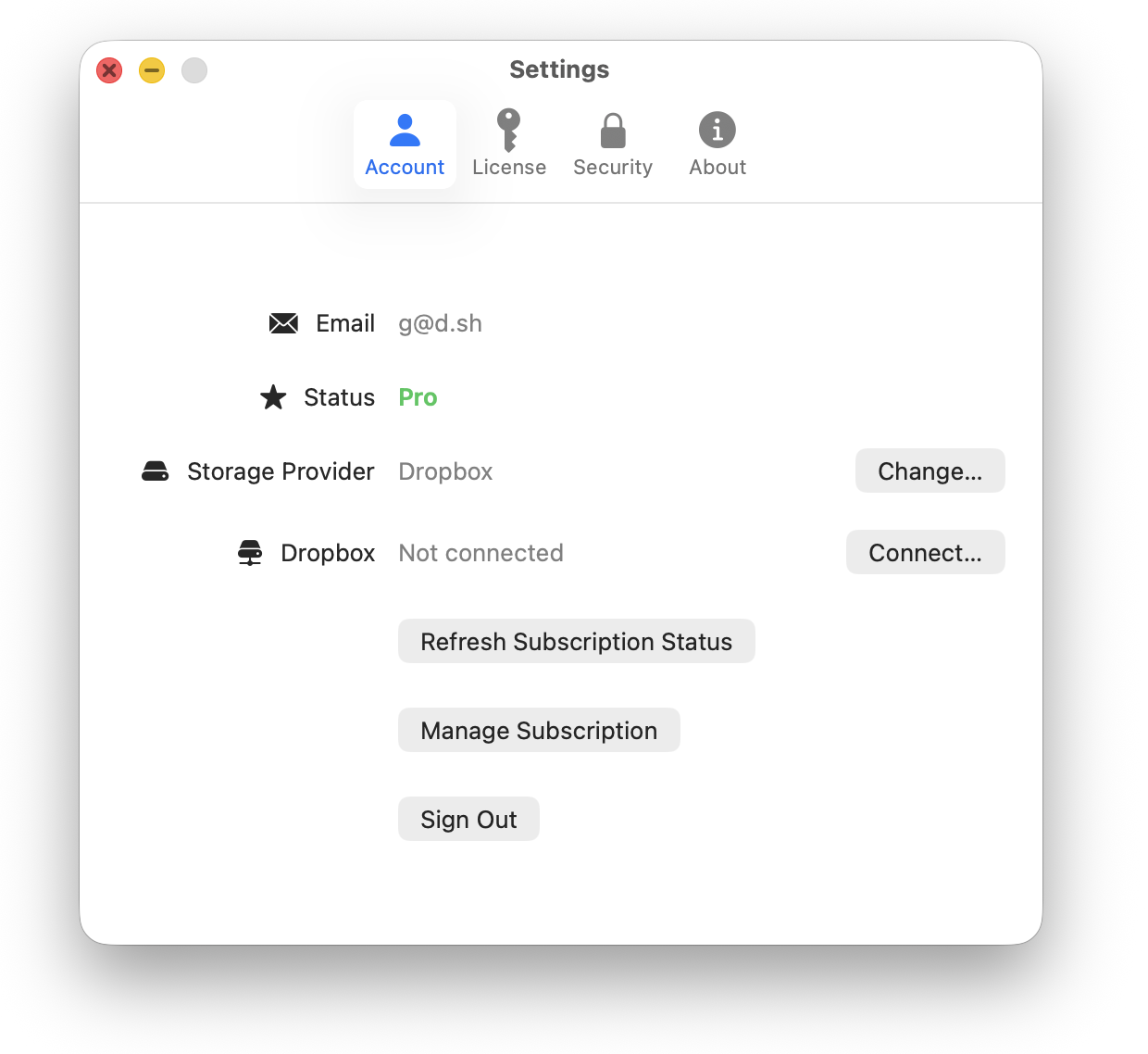
Open Synclet (ex ConfigMesh) and navigate to Settings.
Step 2: Change Storage Provider
Find the Storage Provider section and click Change....
Step 3: Select Dropbox
In the popup that appears, click Dropbox.
Step 4: Connect Dropbox
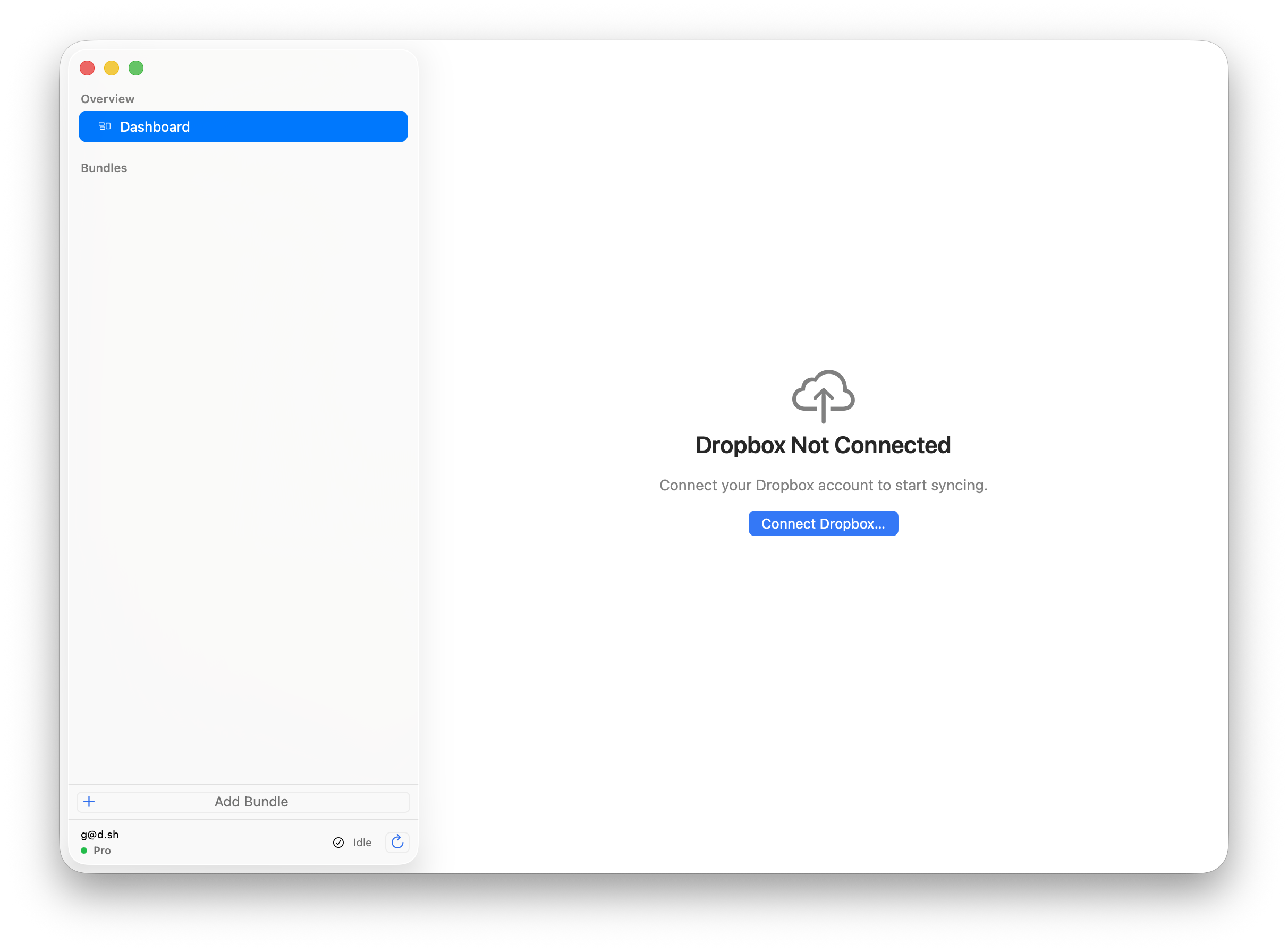
Back on the main screen, you'll see a Dropbox Not Connected prompt. Click Connect Dropbox... and follow the instructions in your browser to authorize Synclet (ex ConfigMesh).
Synclet (ex ConfigMesh) only requests access to its own app folder, so it cannot read or modify your other Dropbox files.
Step 5: Sync
That's it. Your bundles will now sync to Dropbox instead of Synclet (ex ConfigMesh) cloud storage. Existing bundles will be re-uploaded to Dropbox on the next sync.
On your other Macs, switch them to Dropbox storage as well and use the same Dropbox account to keep everything in sync.