Encrypted Mackup alternative for macOS
End-to-end encrypted two-way macOS app preference and dotfile sync without symlinks, as an alternative to Mackup's manual copy mode.
On macOS Sonoma and newer, cfprefsd stopped supporting symlinked .plist files inside ~/Library/Preferences. That broke Mackup's continuous symlink sync (link mode), so Mackup switched its default to manual one-way copy mode (mackup backup and mackup restore), storing unencrypted copies inside a cloud folder with no diff preview or conflict detection.
Synclet is a native macOS desktop app (with a standalone CLI for Linux, Windows, and SSH servers) that keeps regular files in place on disk, runs two-way sync with diff previews, and encrypts every file locally with your passphrase (age) before uploading to Synclet Cloud or your own Dropbox account.
Before you switch: check for old Mackup symlinks
If you already use Mackup's default copy mode (mackup backup / mackup restore), your configs are already regular files on disk and you can skip this step.
If you used Mackup's symlink mode, restore real files back to their original paths before adding bundles in Synclet:
# Mackup 0.11+
mackup link uninstall

# Older Mackup releases (0.8 / 0.9)
mackup uninstall
Confirm that your config files are regular files rather than symlinks:
ls -la ~/.zshrc ~/Library/Preferences/com.googlecode.iterm2.plistThe first character of each line should be -, not l.
Step 1: Install Synclet for macOS
Download and install the native macOS desktop app:
Sign in and choose Synclet Cloud or Dropbox as your storage provider. Dropbox storage requires a Pro subscription or One-time license.
Use the macOS app on your Macs. If you also sync dotfiles to a Linux or Windows machine, install the standalone Synclet CLI on that machine instead; do not run both the macOS app and the CLI on the same Mac, because they maintain separate local sync state.
Step 2: Create bundles for your apps and dotfiles
Pick the configs you actually want to keep in sync instead of syncing your whole home directory.
- Click
+to create a bundle and choose the bundle root (press Command-Shift-G in the folder picker to enter~,~/.config/ghostty, or~/Library/). - Add include rules for the files or folders you want (for example,
.zshrcand.gitconfigunder~, orPreferences/com.googlecode.iterm2.plistunder~/Library/). Directory names match recursively. - Check the live
Matched Local Fileslist in theRulestab to confirm which files are included before uploading.
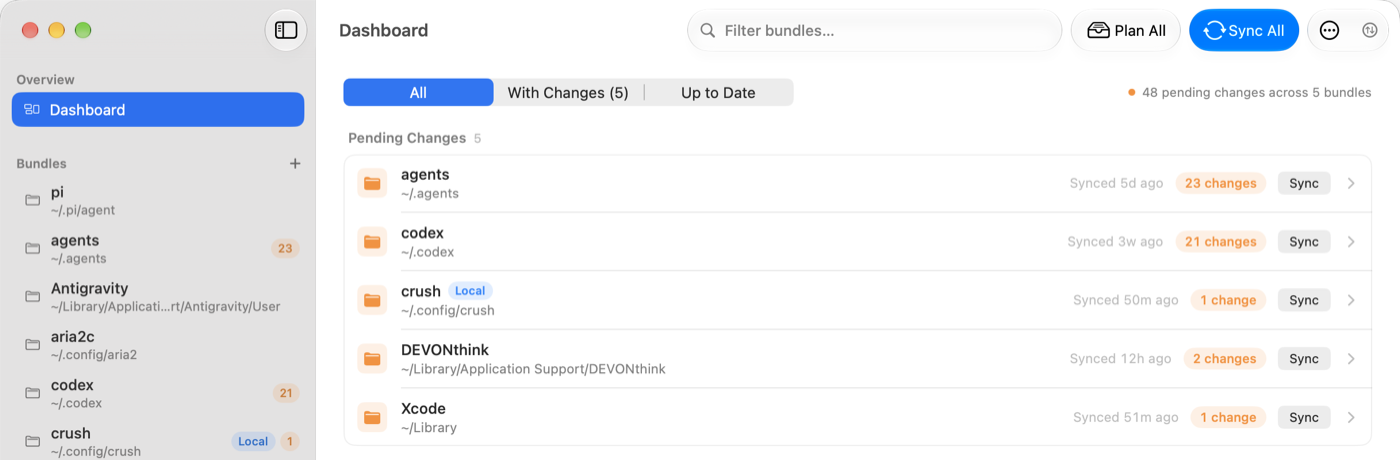
Synclet skips files larger than 1 MiB and automatically excludes common cache, VCS, and dependency entries such as .git, node_modules, and .DS_Store.
Quit apps whose .plist files you are syncing before clicking Sync. Running macOS apps hold preferences in memory and can overwrite a restored plist when they exit.
Step 3: Restore on a second Mac
- Install Synclet for macOS and sign in with the same account and encryption passphrase.
- Open your remote bundles, click
Import Bundle, and pick the matching local folder. - Click
Download Onlyto pull your encrypted configs onto the second Mac.
How Synclet differs from Mackup
| Synclet | Mackup (0.11+) |
|
|---|---|---|
~/Library/Preferences on macOS 14+ |
Syncs regular .plist files in place |
Works in 0.11+ copy mode; legacy link mode breaks when cfprefsd replaces symlinks |
| Sync direction & conflicts | Two-way sync with diff preview; conflicting files are flagged and skipped instead of overwritten | Manual one-way mackup backup and mackup restore; restore overwrites local files |
| File content encryption | Encrypted locally on device with age before upload |
None added by Mackup; relies on your cloud provider |
| App definitions & custom rules | Pick any folder or file in the macOS UI with include and exclude rules | Built-in library of hundreds of app definitions, plus custom ~/.mackup/<app>.cfg INI files |
| Storage | Synclet Cloud or your own Dropbox (App Folder API) | Any local folder (Dropbox, iCloud Drive, Google Drive, or local disk) |
| Platforms | Native macOS app, plus CLI for Linux, Windows, and SSH | Python CLI for macOS and Linux |
| Price | Free (1 bundle, 10 files), Pro $1.99/mo, or $14.99 one-time for Dropbox | Free and open source (GPL) |
Keep Mackup if you want a free open-source script with built-in app definitions backed by iCloud or Google Drive. Switch to Synclet when you want client-side encryption, two-way diff previews, and conflict protection.
See the Mackup alternative overview for a full breakdown, or continue with Sync encrypted dotfiles and configs to Dropbox if you want to store your encrypted bundles in Dropbox.